
Fashion and lifestyle retail
Heliyoo: Making Fashion Discovery Easier at Every Step
Heliyoo needed a fashion storefront that could make hundreds of colour and size variants easy to explore without slowing customers down. Lyzant connected in-card product discovery, search, merchandising, checkout and content operations in one responsive commerce experience.
- Organization
- Heliyoo
- Technology
- Next.js, Medusa, Payload CMS, Algolia, PostgreSQL
- Live website
- Visit website
- Industry
- Fashion and lifestyle retail
Platform highlights
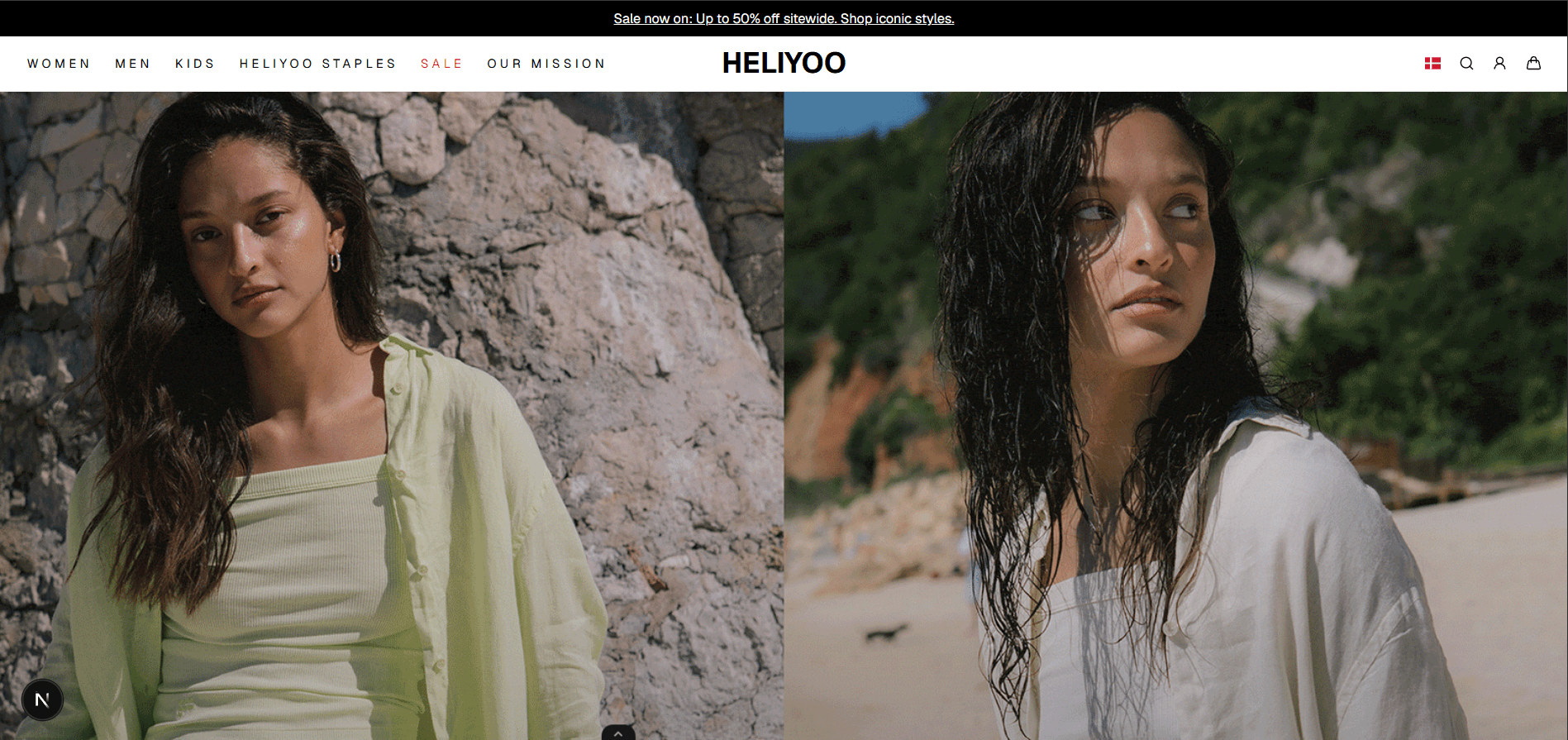
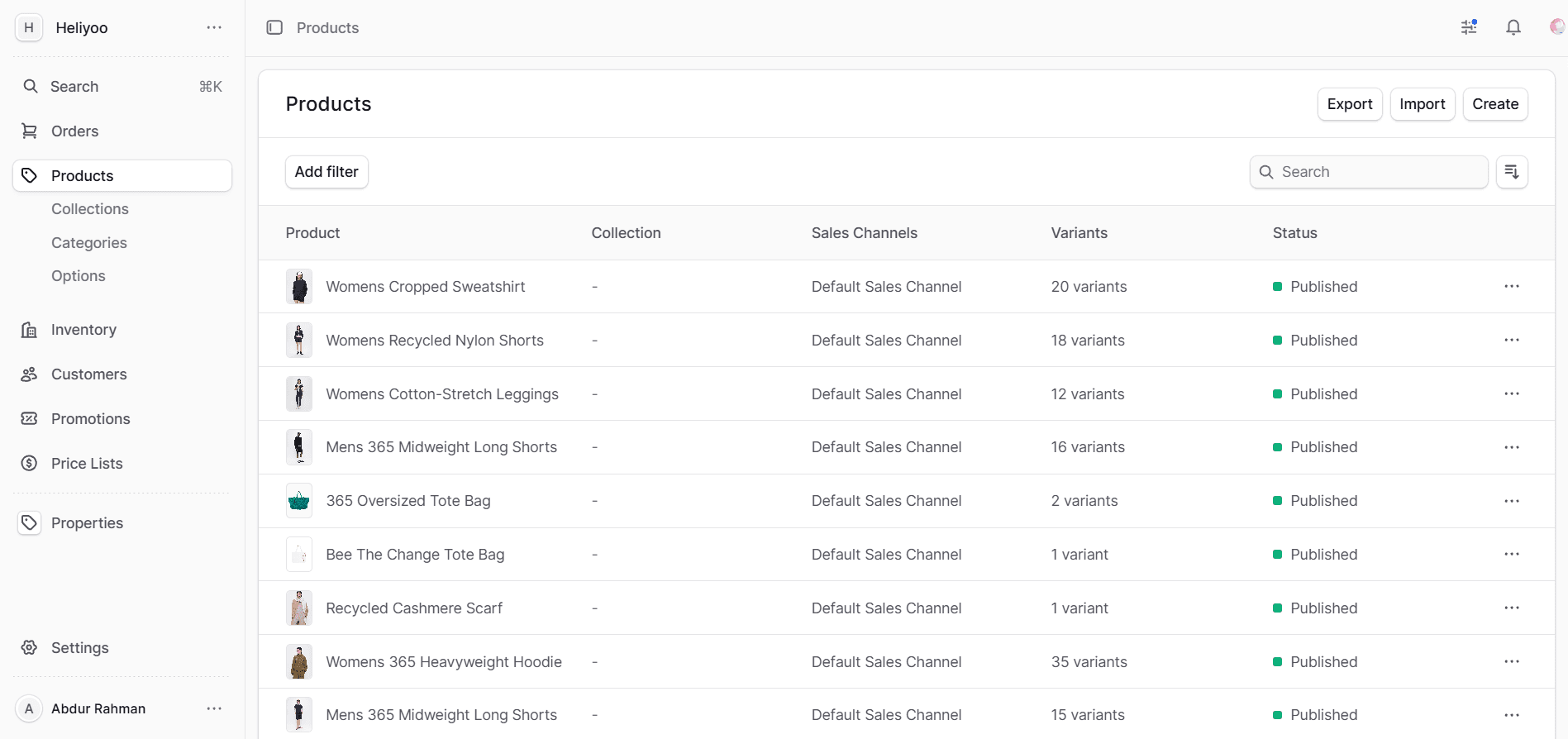
The configured catalogue contains 372 product variants, 30 product categories and 210 product images. Product cards let shoppers explore colour options and see the matching product image without leaving the collection page. Algolia search supports category, colour, size and product-specification filtering, while individual colourways can also appear as their own catalogue cards. Payload CMS manages eight storefront content areas and seven homepage campaign sections with desktop and mobile preview. Medusa connects the catalogue, pricing, inventory, promotions, checkout, customers and orders.
The challenge
Fashion customers rarely begin with a SKU or a precise product name. They notice a colour, shape, material or campaign image, then compare sizes, price, availability and delivery before deciding whether the product is right for them. The storefront had to support that visual, exploratory way of shopping without making the customer open and close a long series of product pages.
Heliyoo's catalogue includes hundreds of colour and size combinations supported by a large image library. Hiding every colour inside one product detail page would make much of the range difficult to discover. Treating every colour as an unrelated product would create unnecessary catalogue, pricing and inventory work. Heliyoo needed a way to present colourways individually while preserving the correct relationship between products, variants, prices and stock.
The business also depends on regular collection launches, promotions and seasonal stories. Campaign images, navigation, featured categories and product rails need to change as trading priorities change. The Heliyoo team needed direct control over those decisions, without turning each homepage update into a development task or risking inconsistent information across the storefront.
The process
We mapped the shopping journeys that matter most to a fashion business: moving from campaign imagery into a collection, browsing several colourways, narrowing the catalogue by size or colour, choosing a variant, completing checkout and returning to review an order. This exposed the places where unnecessary page changes or hidden product options could interrupt discovery.
We also mapped the operational work behind the storefront, including product creation, image management, variant generation, pricing, inventory, promotions, navigation and campaign publishing. That led to a deliberate division of responsibilities. Medusa manages commerce data that must remain consistent. Payload CMS manages presentation and editorial content that changes frequently. Next.js brings the two together in the customer experience.
Content operations designed for retail
Payload CMS is organised around the work Heliyoo's content and merchandising teams perform, rather than presenting them with a generic page editor. The homepage workspace controls campaign media for desktop and mobile, headings, supporting copy and calls to action. A separate category area controls the categories featured near the top of the shopping journey.
Seven campaign sections can be managed independently. Each section can have separate desktop and mobile media, campaign copy, up to two actions and a related product rail. The merchandising team can connect a rail to a real Medusa category through the CMS, which keeps campaign selections aligned with the product catalogue. Content can also be hidden on mobile when the campaign image needs more room to communicate on a smaller screen.
Navigation is managed in the same system. The team can update the announcement banner, main links, sale treatments, badges, mega-menu groups and promotional cards. Footer content, the brand story, mission content, duties and tax information, customer policies, privacy information, gift-card terms and promotional conditions each have their own structured editing area. This gives the right team a practical way to keep customer-facing information current without editing source code.
Drafts and autosave protect work while a campaign is being prepared. Live preview provides dedicated desktop and mobile views, allowing editors to check hierarchy, copy length and image treatment before publishing. Media is stored in a central library, so campaign assets can be reused without uploading separate copies for every placement.
This CMS setup shortens the distance between a trading decision and what appears on the storefront. A new campaign can bring together its imagery, message, links and products in one editing flow. Legal or delivery information can be updated independently, without disturbing product data or waiting for the next storefront deployment.
A complete path to purchase
The same attention continues after discovery. Customers can choose colour and size options, add products to the cart, apply a discount, provide an address, select delivery and complete payment. Account features cover profile management, saved addresses, order history and detailed order views, giving returning customers a useful place to manage their purchases.
Behind the storefront, the Heliyoo team manages products, categories, variants, prices, inventory, promotions, customers and orders through the commerce administration. Merchandising content stays in Payload CMS, while Medusa remains the source of truth for commercial records. The systems are connected, but each team works in an interface suited to its responsibilities.
Product discovery and colourway browsing
The completed storefront connects visual merchandising with structured commerce. Algolia indexes titles, descriptions, categories, specifications, colours and available sizes, helping customers narrow the catalogue without working through long, undifferentiated product lists. Search results can be ordered by newest or price, and colour-specific listings give each colourway a stronger presence across collection and search pages.
A conventional product card usually shows one image, a title and a price. Anyone who wants to see another colour has to open the product page, wait for it to load, inspect the options and then return to the collection. Repeating that process across several products quickly becomes tedious, particularly on a phone.
Heliyoo's product cards keep more of that exploration inside the catalogue. Each card displays the number of available colours alongside the current price. Colour swatches are immediately available on smaller screens and appear on hover on larger screens. Selecting a swatch replaces the image inside the card with the image assigned to that variant, so customers can compare colourways while keeping their place in the product grid.
Products with more colours remain manageable because the swatches move through compact groups of up to eight rather than filling the card with controls. Sale cards can show the original and current price together with a discount badge. When a customer chooses to open the product, the link carries the selected variant into the detail page. The customer arrives at the colour already being considered instead of having to find it again.
This interaction removes needless back-and-forth from the browsing journey. It also lets more of Heliyoo's photography do useful work on collection pages, where many buying decisions begin. Customers can scan, compare and shortlist products with less interruption, while the underlying product remains a single manageable catalogue record.
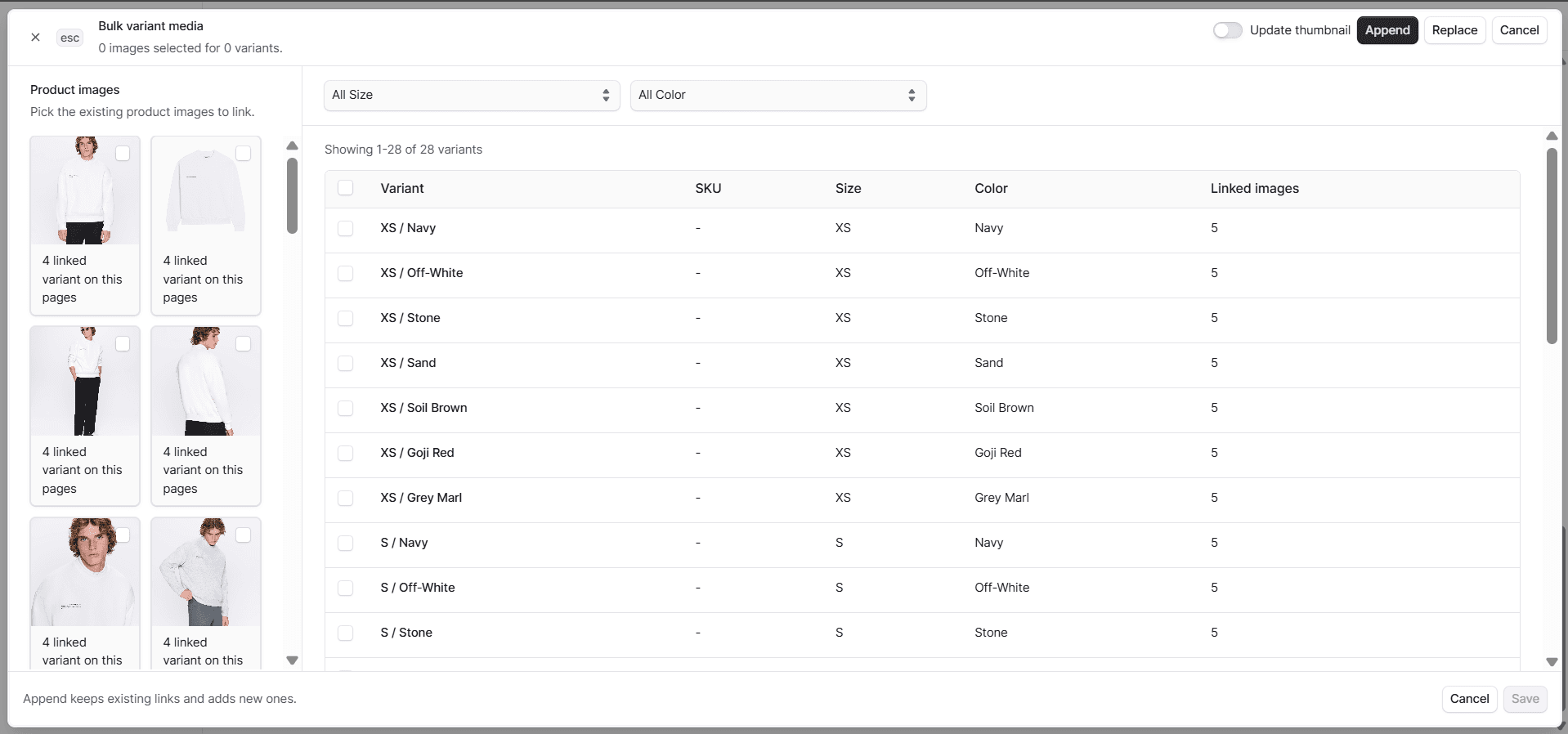
The initial catalogue contains 372 configured product variants. A custom administration tool checks a product's option matrix for missing combinations and lets the team generate only the variants it needs. This is useful when one style is sold across several colours and sizes, since the number of possible combinations can grow quickly.
Each variant can retain its own price, inventory relationship and preview image. The storefront therefore presents the right image and commercial information for the option the customer is viewing. The administration team avoids recreating the same combinations by hand and can review new variants before adding them to the catalogue.
The outcome
Heliyoo now has a storefront shaped around how fashion is discovered and sold. A customer can enter through a campaign, refine a collection, compare colourways inside product cards, open the selected variant and continue through checkout without repeatedly retracing the same steps. The product grid has become an active part of decision-making rather than a directory of links.
For the Heliyoo team, hundreds of product variants and a large image library remain connected to the right products, prices and inventory. Campaign teams can change what customers see without rebuilding the storefront, while commerce teams retain control over catalogue and order operations. Product discovery, merchandising, content and checkout work as one customer journey and one manageable retail operation.